
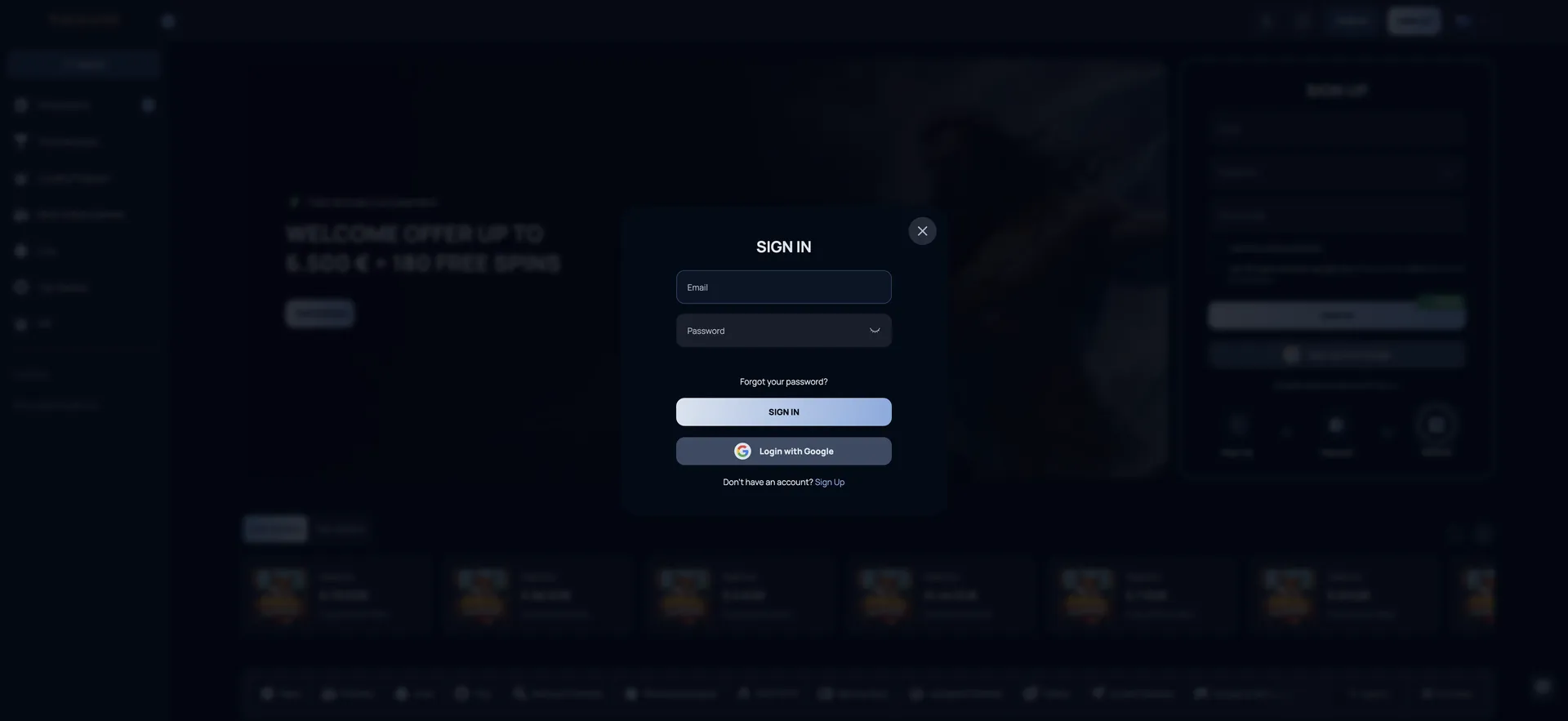
The account is protected by SSL encryption across the whole site, and sensitive actions are tied to verification: a phone number must be confirmed in the profile before any withdrawal, and ID documents are checked before the first payout. Below are the exact steps to sign in, recover access, use the account on mobile and fix the most common login errors for Australian accounts.
| Login essentials | Details |
|---|---|
| Where to log in | SIGN IN button, top-right corner of every page |
| Login methods | Email + password, or Login with Google |
| Password reset | "Forgot your password?" link - reset link sent by email |
| Phone verification | Required in Profile before a withdrawal request |
| Device support | Desktop and mobile browsers (Chrome, Safari, Firefox) |
| Session security | SSL encryption across the platform |
| When verification appears | Before the first withdrawal, or on request by the casino |
| Currency | AUD account for Australian players |
| Support | 24/7 live chat, [email protected] |
How to log in to Therospin
The sign-in window opens as a pop-up over the current page, so players return to the same game or promotion they were looking at once logged in. There are two ways in: the standard email form and Google, which skips typing a password altogether if the account was created with Google.
Step-by-step Therospin login
Signing in takes under a minute and follows the same sequence on a laptop, tablet or phone.
- Open the Therospin website in a current browser.
- Click SIGN IN in the top-right corner, or "Sign In" under the homepage registration form.
- Enter the email address used during registration.
- Type the password; the eye icon in the field shows the characters to check for typos.
- Click the SIGN IN button in the pop-up.
- Alternatively, click Login with Google and pick the Google account linked to Therospin.
- Once the balance appears in the header, the cashier, Bonus section and profile are available.
A Google login only works for an account that was originally created with "Sign up with Google". An account registered with email and password should be accessed with those credentials, even if the email is a Gmail address.
Create an account if you do not have a profile
Players without an account can switch from the login window to registration with the "Don't have an account? Sign Up" link at the bottom. The sign-up form is also placed directly on the homepage for visitors who are not logged in, so a new profile can be created without leaving the main page.
Quick registration flow
Registration asks for only two fields plus two checkboxes, and the welcome bonus can be claimed on the first deposit straight after.
- Click SIGN UP and enter an email address and password.
- Leave the Bonus code field empty for the standard welcome offer, or enter a code from a current promotion.
- Confirm that you are 18+ and accept the Privacy Policy and Terms and Conditions.
- Click SIGN UP or use Sign up with Google.
- Deposit from AUD 30 to activate 100% up to AUD 375 + 100 free spins.
Secure login practices
Therospin allows only one account per person, household, IP address and device, and the terms make the account holder responsible for keeping credentials private. A shared or compromised login can lead to duplicate-account flags, frozen balances or blocked withdrawals, so a few habits are worth keeping.
- Use a unique password that is not reused on email or other gambling sites.
- Do not let anyone else, including family members, sign in to your account.
- Log out on shared or public devices and avoid saving the password in a shared browser.
- Verify your phone number early - it is needed for withdrawals and helps confirm account ownership.
- Keep the registered email secure, since password resets are sent there.
- Do not use a VPN to sign in; the terms prohibit it and it can trigger security checks.
Therospin password recovery
A forgotten password is reset by email in a few minutes. The reset link is sent only to the address registered on the account, so access to that inbox is required. If the account was created with Google, there is no Therospin password to reset - signing in with Google is enough.
Reset steps
The reset is started from the login window itself and does not require contacting support unless the email fails to arrive.
- Click SIGN IN, then Forgot your password? under the password field.
- Enter the email address registered on the account.
- Open the reset email from Therospin and follow the link.
- Create a new password and confirm it.
- Return to SIGN IN and log in with the new password.
- If no email arrives within a few minutes, check spam and promotions folders, then contact live chat.
Therospin login on mobile
There is no separate app to download, so mobile login uses the same pop-up in Safari, Chrome or another mobile browser. After signing in, the full lobby, AUD cashier, promotions and live chat are available in the mobile layout. A home screen shortcut, added from the download icon in the header or the browser's share menu, opens the site directly for faster access next time.
Tips for mobile login
Most mobile login issues come from autofill, saved passwords or browser settings rather than the account itself.
- Check that autofill has not inserted an old password or an extra space after the email.
- Keep the browser updated; older versions can fail to load the sign-in pop-up.
- On Google login, make sure the correct Google account is selected on the device.
- Switch between Wi-Fi and mobile data if the form submits but the page does not load.
Troubleshooting common Therospin login errors
When login fails, the cause is usually one of four things: wrong credentials, browser data, a network setting or an account restriction. The fixes below are listed from quickest to most involved.
Incorrect credentials
An "incorrect email or password" message means the combination does not match the account. Passwords are case-sensitive, and a Google-created account has no separate password.
- Retype the password manually instead of using autofill.
- Check for Caps Lock and a trailing space in the email field.
- Try Login with Google if the account may have been created that way.
- Use Forgot your password? to set a new one.
Browser or cache issues
If the sign-in window does not open, the button does nothing or the session drops after submitting, stored browser data or an extension is usually responsible. The casino's own FAQ recommends the same steps for games that will not load.
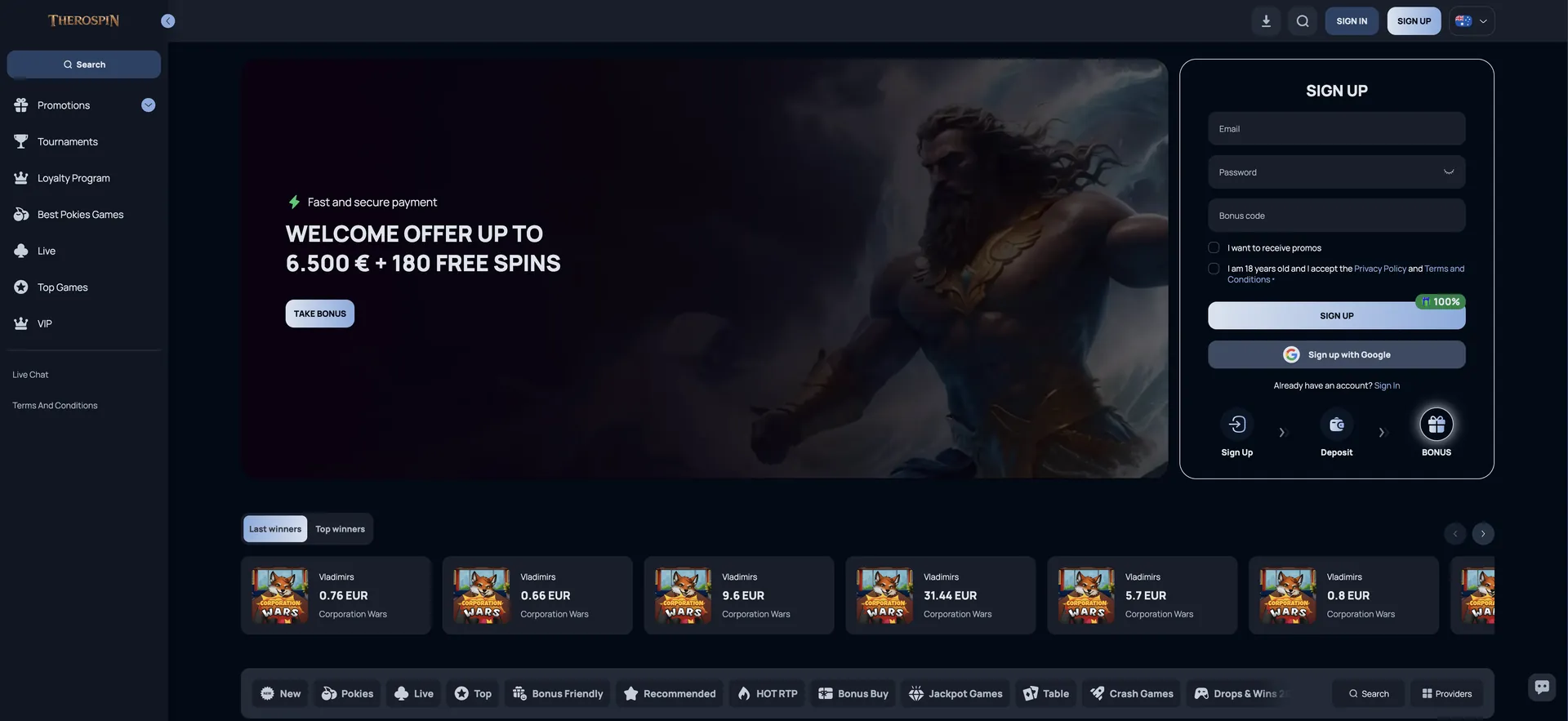
Therospin sign-in window
- Clear the browser cache and cookies, then reload the page.
- Disable ad blockers or script-blocking extensions for the site.
- Try another browser, such as Chrome, Safari or Firefox.
VPN or location problems
Therospin's terms prohibit VPNs used to bypass geographic restrictions. An active VPN can block login, trigger a security review or lead to winnings being withheld, so it should be switched off before signing in. Players travelling abroad should note that some countries are on the restricted list.
Account blocked or suspended
An account can be restricted for several reasons set out in the terms, and the login screen will not always explain which one applies. Live chat can confirm the reason and the steps to restore access.
- Unanswered verification: if the casino requests documents or a call and gets no response within two weeks, the account is blocked until KYC is complete.
- Duplicate account: a second profile on the same household, IP or device can lead to closure.
- Self-exclusion or cooling-off: an active limit disables the account or deposits for the chosen period.
- Dormancy: after six months with no activity the account becomes dormant; logging in and making a transaction reactivates it.
What you access after Therospin login
Once signed in, the header shows the AUD balance and a deposit button, and the account menu opens the personal sections. These are the areas used most often after login.
- Cashier: deposits from AUD 30 and withdrawals from AUD 75 in AUD or crypto.
- Bonus section: activation of free spins and tracking of active bonuses and wagering.
- Profile → Verification: document upload and real-time verification status.
- Phone verification: confirmation of the mobile number required for withdrawals.
- Responsible Gaming: deposit, loss and wager limits, cooling-off and self-exclusion.
- Loyalty and VIP progress: comp points, current level and next reward.
- Tournaments: joining Daily Spin Riot and network prize drops.
Account verification (KYC) after login
Verification is not required to sign in or deposit, but it must be completed before the first withdrawal. Documents are uploaded under Profile → Verification, and the casino may also request a phone call or, if documents are not in Latin script, a short video showing the player holding their ID. Players depositing in BTC must submit ID before deposits and bets are enabled.
- Government-issued photo ID: passport or Australian driver licence.
- Proof of address: a recent utility bill or bank statement.
- Proof of payment method: card front and back, or a statement from the e-wallet account.
- A verified phone number in the profile.
Uploading these documents right after the first login avoids delays later, since withdrawal requests stay pending until verification is approved.
Therospin login FAQ
Quick answers to the questions Australian players ask about signing in and account access at Therospin.
Where is the Therospin login button?
The SIGN IN button is in the top-right corner of every page, between the search icon and the SIGN UP button. There is also a "Sign In" link under the registration form on the homepage.
Can I log in to Therospin with Google?
Yes, if the account was created with Sign up with Google. Click SIGN IN, then Login with Google, and select the linked Google account.
What do I do if I forgot my Therospin password?
Click Forgot your password? in the sign-in window and enter your registered email. A reset link arrives within a few minutes; check spam if it does not.
Why can't I log in to my Therospin account?
The most common causes are a mistyped password, autofill errors, browser cache, an active VPN, or an account restriction such as pending verification. Live chat can confirm the reason.
Is the Therospin login the same on mobile?
Yes. The same email and password or Google account work in any mobile browser, as there is no separate app.
Do I need to verify my account to log in?
No. Verification is needed for withdrawals, not for login or deposits. The exception is BTC play, which requires ID before deposits and bets.
How do I reactivate a dormant Therospin account?
Log in and make a transaction. After six months without activity a monthly fee of about AUD 9 can apply, so reactivating early protects the balance.